
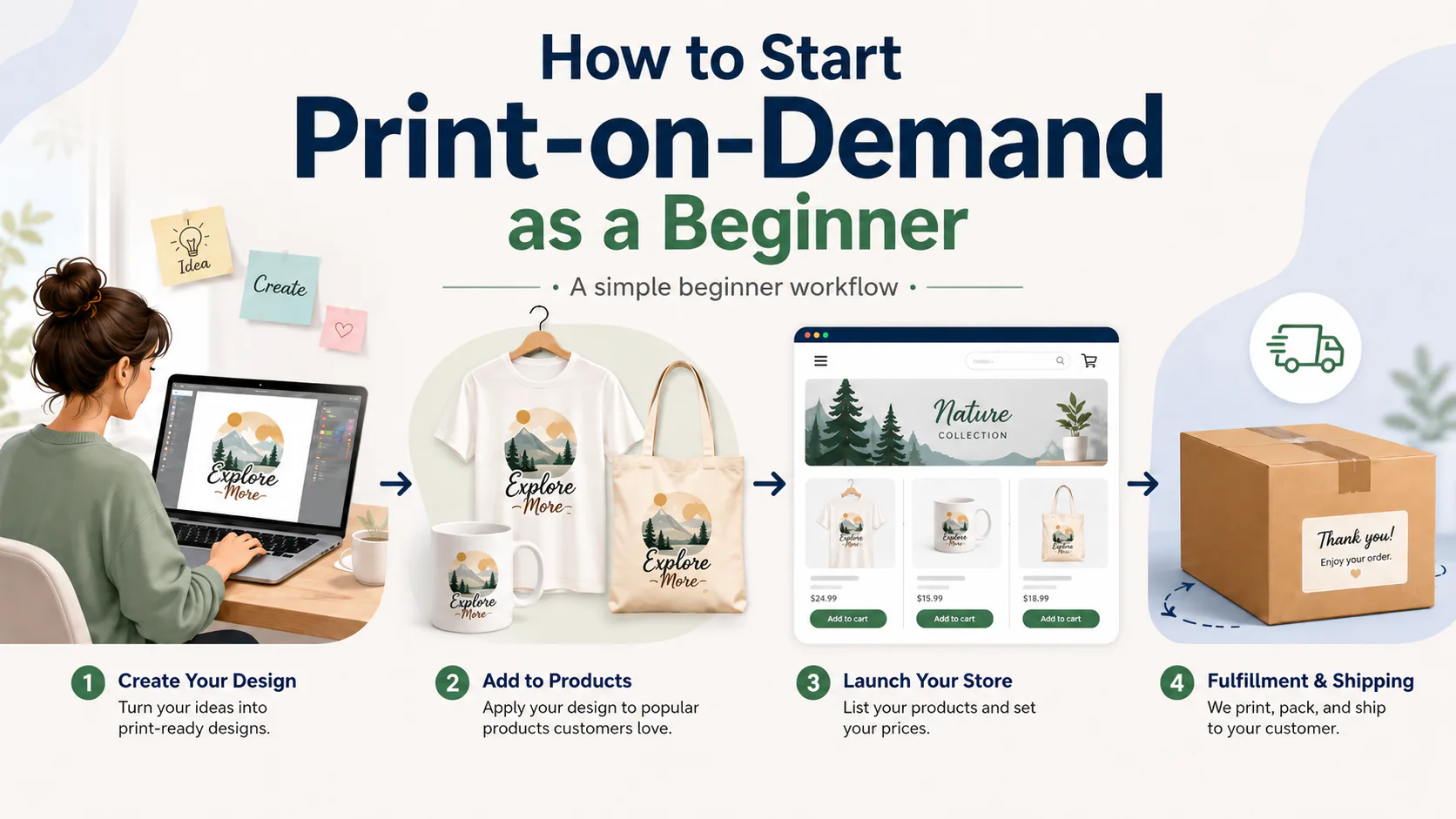
How to Start Print-on-Demand as a Beginner
Starting print-on-demand can feel confusing at first because there are several moving parts.
You may hear people talk about Canva, Kittl, Printify, Printful, Etsy, Shopify, keywords, mockups, production partners, and product research all at the same time. That can make it hard to know what you are actually supposed to do first.
The good news is that the basic print-on-demand workflow is simpler when you separate it into a few clear steps.
You need:
- A product idea
- A design
- A print-on-demand provider
- A place to sell
- A listing
- A way to improve over time
This guide is for complete beginners who want a calm, practical overview of how print-on-demand works and how to take the first steps without overcomplicating the process.
It will not promise easy money. It will not tell you that print-on-demand is automatic or risk-free. Instead, it will help you understand the basic workflow so you can make better decisions from the beginning.
What Is Print-on-Demand?
Print-on-demand, often shortened to POD, is a fulfillment model where products are usually made after a customer places an order.
Instead of buying boxes of shirts, mugs, posters, or tote bags in advance, you create a product listing using a print-on-demand provider. When a customer buys the product, the provider produces it and ships it to the customer.
For example, a simple POD order might work like this:
- You create a t-shirt design.
- You upload it to a POD provider like Printify, Printful, Gelato, or Gooten.
- You publish the product to a selling platform like Etsy or Shopify.
- A customer buys the shirt.
- The POD provider prints and ships the order.
- You manage the customer relationship through your selling platform.
This model can reduce the need to buy inventory upfront, but it does not mean there are no costs. You still need to think about product costs, shipping costs, platform fees, payment processing fees, taxes where applicable, paid tools, and any storefront or advertising expenses.
Print-on-demand can make starting simpler, but it does not remove the need for careful decisions.
Who This Guide Is For
This guide is for you if:
- You are brand new to print-on-demand
- You are trying to understand how the basic workflow works
- You are interested in selling on Etsy, Shopify, or another platform
- You are comparing tools like Canva, Kittl, Printify, Printful, Gelato, or Gooten
- You want a simple starting point instead of a complicated business plan
This guide is not meant to be a deep Etsy SEO tutorial, a legal guide, a tax guide, or a full comparison of every POD platform.
The goal is simple:
Help you understand what to do first and where each type of tool fits.
The 3 Basic Pieces of Print-on-Demand
Before choosing tools, it helps to understand the three main pieces of a POD workflow.
1. A Design Tool
A design tool helps you create the artwork or visual assets for your product.
Examples include:
- Canva
- Kittl
- Photopea
- Adobe Express
For beginners, Canva and Kittl are common tools to compare because they are more approachable than advanced professional design software.
Canva may be useful for simple graphics, listing images, shop banners, Pinterest pins, and marketing assets.
Kittl may be useful for typography-heavy designs, vintage-style graphics, and POD-style artwork.
Important: design tool licensing matters. Do not assume every template, image, font, or design element can automatically be used on products for sale. Always check the current commercial-use rules before selling products made with any design tool.
Internal link placeholders:
- Canva Review
- Kittl Review
2. A POD Provider
A POD provider, also called a fulfillment provider, helps turn your design into a physical product after a customer buys.
Examples include:
- Printify
- Printful
- Gelato
- Gooten
A POD provider usually helps with:
- Creating product mockups
- Applying your design to products
- Producing the product after an order
- Shipping the product to the customer
- Managing fulfillment details through a dashboard or integration
Each provider works a little differently. Some use a network of print providers. Some handle more production in-house. Some focus on local or global production. Some are more beginner-friendly than others.
You do not need to understand every supplier on day one. At the beginner stage, it is enough to understand that the POD provider is the tool that helps produce and ship the product.
Internal link placeholders:
- Printify Review
- Printful Review
- Gelato Review
- Gooten Review
3. A Selling Platform
A selling platform is where customers actually buy your product.
Examples include:
- Etsy
- Shopify
- Amazon
- TikTok Shop
- eBay
This is an important distinction.
Printify, Printful, Gelato, and Gooten help fulfill products, but they are not the same thing as a marketplace. They do not automatically bring customers to your store.
If you use Etsy, customers buy through Etsy.
If you use Shopify, customers buy through your Shopify store.
The POD provider helps handle the product after the sale, but you are still responsible for your listings, pricing, shop setup, customer service, and following the selling platform’s rules.
For example, Etsy sellers who use production partners should review Etsy’s current production partner rules and make sure they accurately disclose how their products are made.
Step 1: Choose One Simple Product Idea
A common beginner mistake is trying to start with too many ideas at once.
You do not need to launch shirts, mugs, stickers, tote bags, posters, sweatshirts, and phone cases all in the same week.
A better beginner approach is to choose one simple direction.
For example:
- Funny coffee mugs for teachers
- Christian dad t-shirts
- Nurse-themed sweatshirts
- Pet lover tote bags
- Simple wall art for home offices
- Personalized gifts for moms
The idea does not need to be perfect. It just needs to be clear enough that you can create one product, publish one listing, and learn the workflow.
A good beginner product idea usually answers a few basic questions:
- Who is this for?
- What product type makes sense?
- What design style fits the buyer?
- Why would someone want it?
- Is it simple enough for me to create and list?
Avoid starting with a huge general category like “shirts for everyone.” That is too broad. Pick one audience or one product direction so you can focus.
Step 2: Create a Design
After you choose a product idea, you need a design.
This is where tools like Canva and Kittl may fit.
You might create:
- A text-based t-shirt design
- A simple mug design
- A sticker design
- A tote bag design
- A product listing image
- A shop banner
- A Pinterest pin
For beginners, the goal is not to create the most advanced design possible. The goal is to create something clear, readable, and appropriate for the product.
A simple design that fits the buyer is usually better than a complicated design that is hard to read.
Before using a design tool for POD products, check the licensing terms.
For example:
- Canva has rules around commercial use and restrictions on selling standalone Canva content as merchandise.
- Kittl’s free plan is for personal use only, so commercial selling generally requires a paid plan.
Licensing can change, so always verify the current rules on the official website before selling products made with a design tool.
Internal link placeholders:
- Canva Review
- Kittl Review
- Commercial Licensing Guide
Step 3: Choose a Print-on-Demand Provider
Once you have a design, you need a provider that can place the design on a product and fulfill orders.
Beginner-friendly POD providers to research include:
- Printify
- Printful
- Gelato
- Gooten
At this stage, do not get stuck trying to compare every possible provider in detail.
Start by understanding the basic questions:
- What products does the provider offer?
- Does it connect to your selling platform?
- What are the product and shipping costs?
- How are orders fulfilled?
- Are there sample options?
- What are the production and shipping expectations?
- What happens if there is a quality issue?
For example, if you want to sell on Etsy, make sure the provider works with Etsy. If you want to sell through Shopify, make sure the provider supports Shopify.
You should also look at the provider’s product cost, shipping cost, and product options before setting a retail price. A product that looks good at first may not make sense if the total cost is too high for your target selling price.
Internal link placeholders:
- Printify Review
- Printful Review
- Gelato Review
- Gooten Review
Step 4: Choose a Selling Platform
After choosing a POD provider, you need somewhere to sell the product.
Two beginner-relevant options are Etsy and Shopify, but they are very different.
Etsy
Etsy is a marketplace. Customers already search Etsy for handmade, vintage, custom, and creative products.
That can make Etsy appealing to beginners, but it also means you need to follow Etsy’s rules. If you use a production partner for POD, you should review Etsy’s current production partner and creativity standards.
You also need to create listings with clear titles, images, descriptions, prices, tags, shipping details, and accurate production information.
Shopify
Shopify is a storefront platform. It gives you more control over your own store, but you are usually more responsible for bringing traffic to that store.
This can be useful later, but many beginners find marketplaces easier to understand at first because the marketplace already has shoppers using it.
There are other selling platforms too, such as Amazon, TikTok Shop, and eBay. These may be useful for some sellers, but they can have their own approval rules, fees, integration limits, and setup requirements.
For your first product, keep it simple. Choose one selling platform and learn how it works before trying to sell everywhere.
Step 5: Publish One Simple Listing
Once you have a product idea, design, POD provider, and selling platform, the next step is to publish a listing.
A basic POD listing usually needs:
- Product title
- Product description
- Product images or mockups
- Price
- Shipping settings
- Production or fulfillment details where required
- Tags or keywords if the platform uses them
- Product options such as size, color, or style
This is where many beginners get overwhelmed. They try to make the listing perfect before publishing anything.
A better approach is to publish one careful, honest, complete listing and then improve over time.
That does not mean rushing or ignoring quality. It means avoiding perfectionism.
Make sure the listing is accurate. Make sure the product is represented clearly. Make sure the price includes your costs. Make sure any required production partner information is included.
Then publish, observe, and improve.
Internal link placeholders:
- Etsy POD Keyword Research Guide
- Beginner POD Workflow Guide
- eRank Review
Step 6: Improve Over Time
Print-on-demand is not finished after you publish one listing.
You will likely need to improve:
- Designs
- Mockups
- Titles
- Tags
- Descriptions
- Pricing
- Product choices
- Shipping expectations
- Customer communication
This is normal.
A beginner should not expect to get everything right immediately. The goal is to learn the workflow and make better decisions as you go.
A simple improvement process might look like this:
- Publish one product.
- Review how the listing looks.
- Check whether the mockups are clear.
- Review whether the title and description make sense.
- Compare product costs and pricing.
- Order a sample when possible.
- Make small improvements instead of changing everything at once.
Small, steady improvements are usually more useful than constantly switching tools, niches, and platforms.
Common Beginner Mistakes to Avoid
Here are some common mistakes that can make print-on-demand harder than it needs to be.
Mistake 1: Thinking POD Means No Costs
Print-on-demand can reduce the need to buy inventory upfront, but it does not remove all costs.
You may still have:
- Product base costs
- Shipping costs
- Marketplace fees
- Payment processing fees
- Taxes where applicable
- Storefront subscription costs
- Design tool subscriptions
- Sample order costs
- Advertising costs if you choose to use ads
Before setting your price, understand what the product actually costs from order to delivery.
Mistake 2: Confusing Design Tools With Fulfillment Tools
Canva and Kittl help with design.
Printify, Printful, Gelato, and Gooten help with fulfillment.
Etsy and Shopify are places where customers buy.
These tools work together, but they do not do the same job.
Understanding that difference will make the whole process much easier.
Mistake 3: Assuming the POD Provider Brings Customers
A POD provider helps produce and ship the product. It does not automatically send buyers to your store.
You still need:
- A clear product idea
- A good listing
- Good images
- Competitive pricing
- Customer service
- A selling platform
- A way for shoppers to find your product
This is why POD should be treated as a fulfillment model, not a complete business by itself.
Mistake 4: Ignoring Platform Rules
Every selling platform has its own rules.
For Etsy, production partner disclosure matters when you use a POD provider. Etsy also has creativity standards that affect how production-assisted items should be represented.
Other platforms may have their own requirements, fees, approval rules, or product restrictions.
Before publishing products, review the current rules for the platform you plan to use.
Mistake 5: Ignoring Design Licensing
This is one of the most important beginner cautions.
Do not assume that every template, graphic, photo, font, or AI-generated asset is safe to sell on merchandise.
Before selling a design, check:
- The design tool’s commercial-use rules
- Whether the content can be used on merchandise
- Whether standalone assets are restricted
- Whether the free plan allows commercial use
- Whether AI-generated content has extra rules
- Whether fonts or graphics have separate licenses
Licensing rules can change. Always check the official terms before selling.
Mistake 6: Listing Too Many Unrelated Products Too Quickly
It is tempting to create a little bit of everything.
One shirt idea. One mug idea. One sticker idea. One tote bag idea. One poster idea. Five different audiences. Three selling platforms.
That can quickly become confusing.
Beginners may do better by starting with one product type, one audience, and one platform until they understand the workflow.
Simple is easier to improve.
Mistake 7: Skipping Samples or Quality Checks
Samples are not always required, but they can be helpful.
A mockup does not always show exactly how a product will look in real life. Colors, print placement, fabric feel, sizing, packaging, and shipping experience can vary.
If you plan to build around a product, ordering a sample when possible can help you understand what the customer may receive.
At minimum, review product details, provider information, shipping expectations, and customer-facing images carefully before publishing.
A Simple Beginner POD Workflow
Here is the basic process again in one simple flow:
- Choose one niche or product idea.
- Create one design.
- Choose one POD provider.
- Connect one selling platform.
- Publish one complete listing.
- Review and improve over time.
That is enough for a beginner starting point.
You do not need every tool. You do not need every marketplace. You do not need a huge catalog on day one.
You need to understand the workflow.
Final Recommendation
If you are brand new to print-on-demand, start small.
Choose one product idea, one design tool, one POD provider, and one selling platform. Learn how the process works before adding more tools, products, or marketplaces.
Print-on-demand can be a useful way to test products without holding inventory upfront, but it still requires thoughtful designs, accurate listings, cost awareness, platform rules, and customer service.
Do not treat POD as easy money. Treat it as a workflow you can learn step by step.
A practical next step is to browse beginner-friendly tools by category on the POD Resources page, then read the reviews for the tools that match your next step.
Internal link placeholders:
- POD Resources Page
- Printify Review
- Printful Review
- Canva Review
- Kittl Review
- Gelato Review
- Gooten Review
- Affiliate Disclosure
Affiliate disclosure note
Some links in this article may be affiliate links. If you choose to purchase through one of these links, PODResourceHQ may earn a commission at no additional cost to you. This helps support the site. Affiliate relationships do not influence our reviews — always verify current details on the official website before making a decision.
Browse beginner-friendly tools by category on the POD Resources page, then read the reviews for the tools that match your next step.